Python dictionaries solve a practical problem that many beginners eventually run into: searching through lists repeatedly becomes slow, messy, and difficult to maintain. Dictionaries simplify retrieval by organizing data around keys instead of positions.
One thing I notice with new Python developers is that they often start by storing everything inside lists. That works at first. But once the program needs to look up values repeatedly, list scanning quickly becomes awkward.
The turning point usually comes when you stop asking, “What position is this value in?” and start asking, “What key should identify this value?” That is where dictionaries become genuinely useful instead of just another syntax feature.
Why Lists Become Inefficient for Repeated Searches
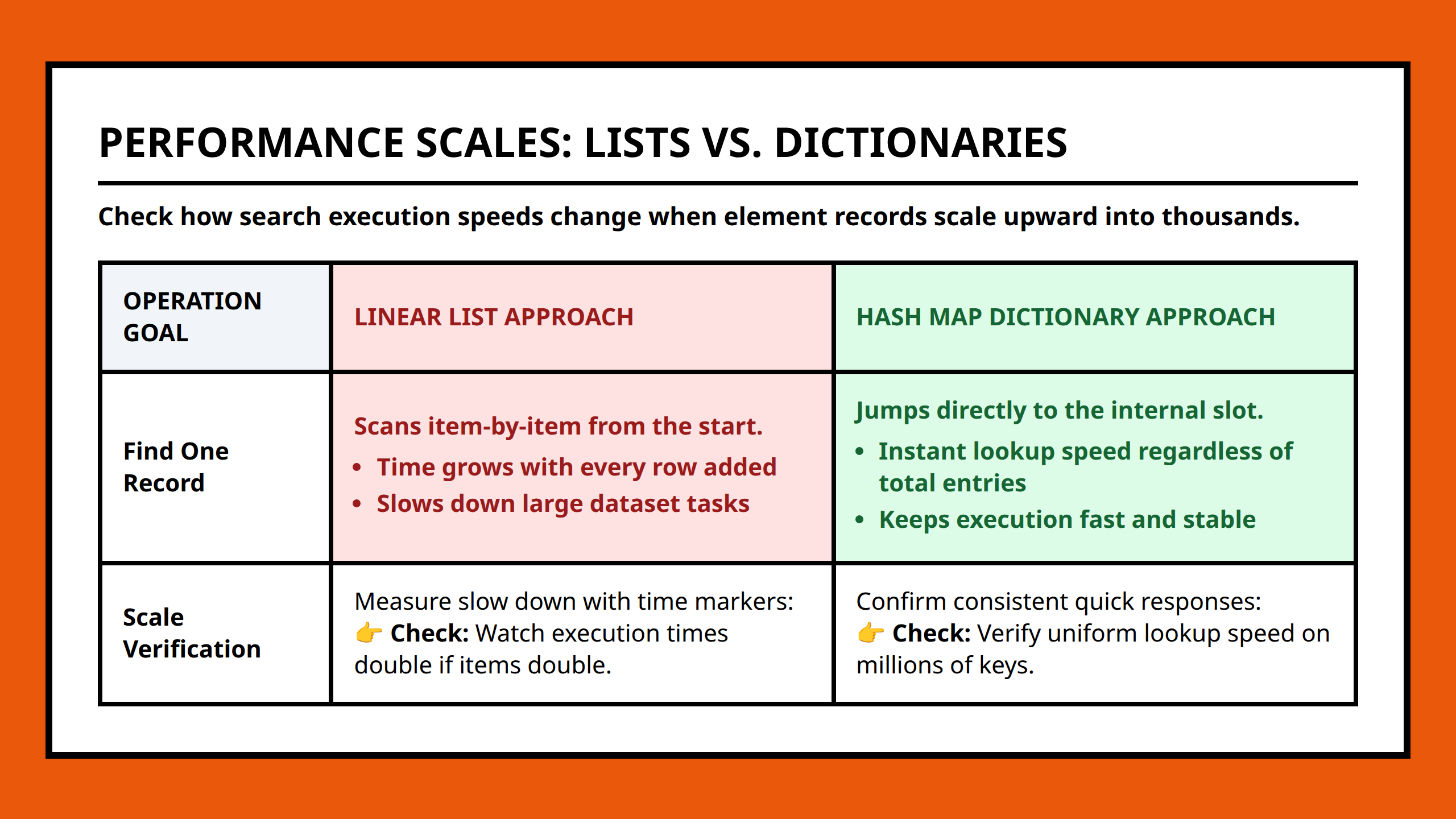
Lists work well when order matters or when you simply need sequential data. But they become inefficient for key-based retrieval.
Imagine storing user information in a list of lists:
users = [ ["alice", 25], ["bob", 31], ["carol", 28] ] If you need Bob’s age, the program has to scan through entries until it finds the matching name. That may not matter with three users, but the structure becomes increasingly inefficient as the dataset grows.
I think this is one reason beginners sometimes feel their code is becoming harder to manage without understanding exactly why. The problem is not only speed. The code also becomes less readable because retrieval logic gets mixed into every operation.
How Dictionaries Change the Retrieval Model
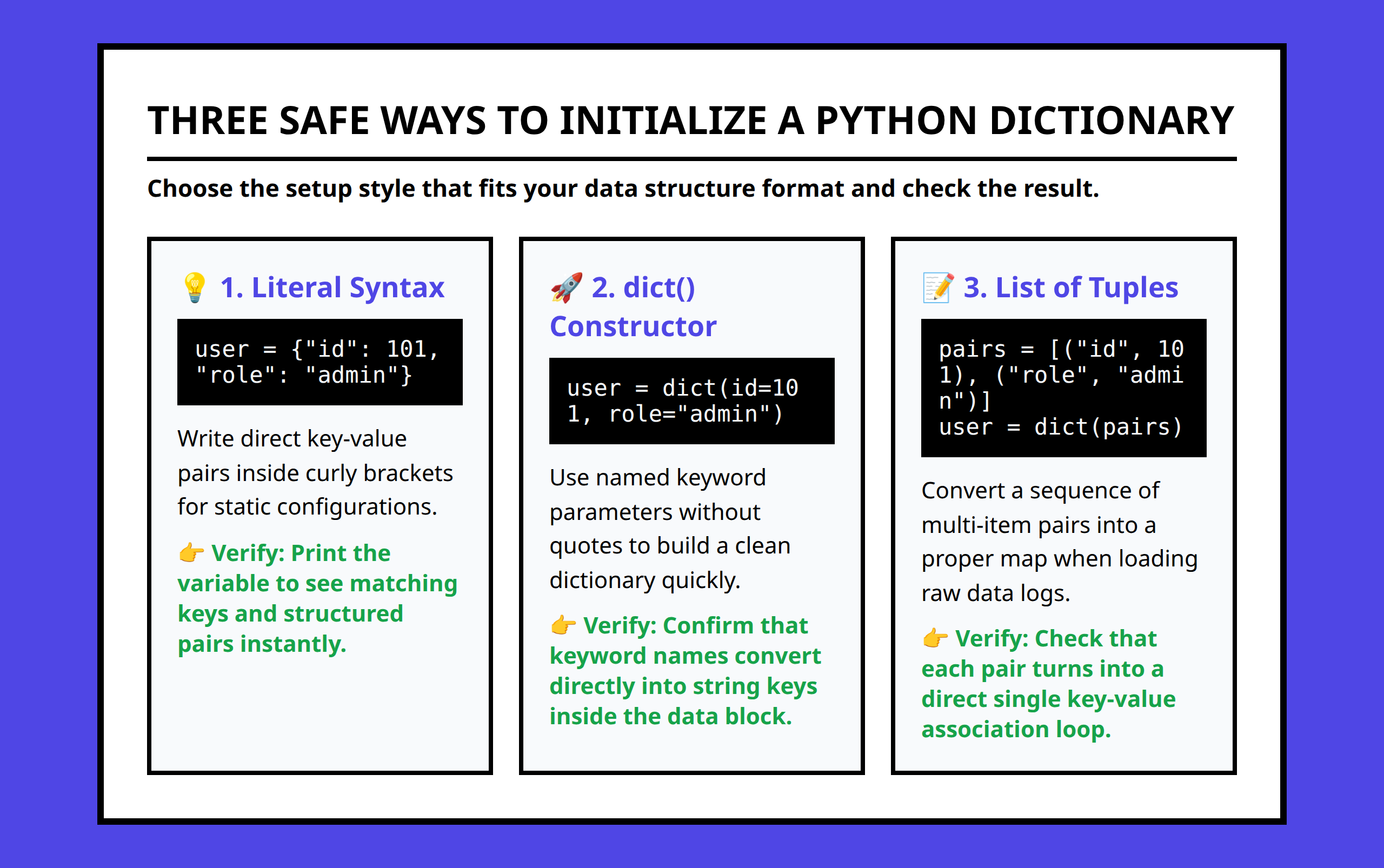
Dictionaries organize information around key-value pairs.
users = { "alice": 25, "bob": 31, "carol": 28 } Now the retrieval process becomes direct:
users["bob"]That structural change matters more than most beginners realize. Instead of searching linearly through data, Python can retrieve values through hash-table behavior designed for fast lookups.
I would not describe dictionaries as merely “convenient syntax.” They fundamentally change how data access works inside a program.
The difference becomes very noticeable once a script starts handling configuration values, usernames, API responses, or application state.
Cleaner Code Often Matters More Than Raw Speed
People often focus entirely on performance when discussing dictionaries, but I think readability is equally important.
Consider a small real-world-style situation. A beginner builds a command-line expense tracker and stores category totals inside a list structure. At first, the program feels manageable. Then categories start changing dynamically, and suddenly the logic becomes filled with loops, conditional checks, and index tracking.
A dictionary simplifies the entire structure:
expenses = { "food": 120, "transport": 45, "utilities": 90 } Now the code expresses meaning directly. The keys describe the data instead of forcing the reader to remember what position 0 or position 1 represents.
Whenever I review beginner Python code, unclear indexing is often one of the first things I would try to eliminate.
Safer Retrieval Patterns Reduce Errors
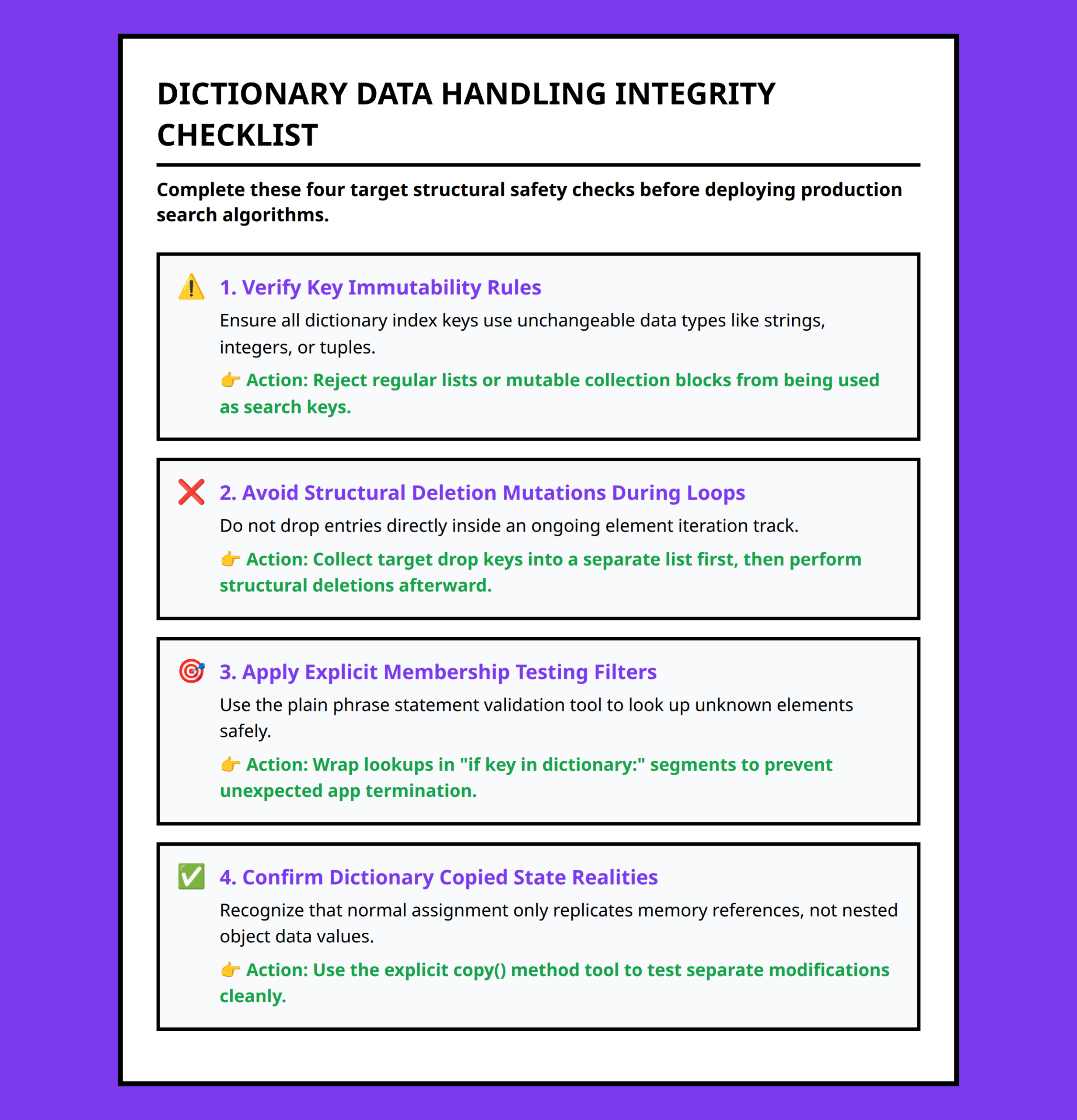
One important distinction with dictionaries is how retrieval errors work.
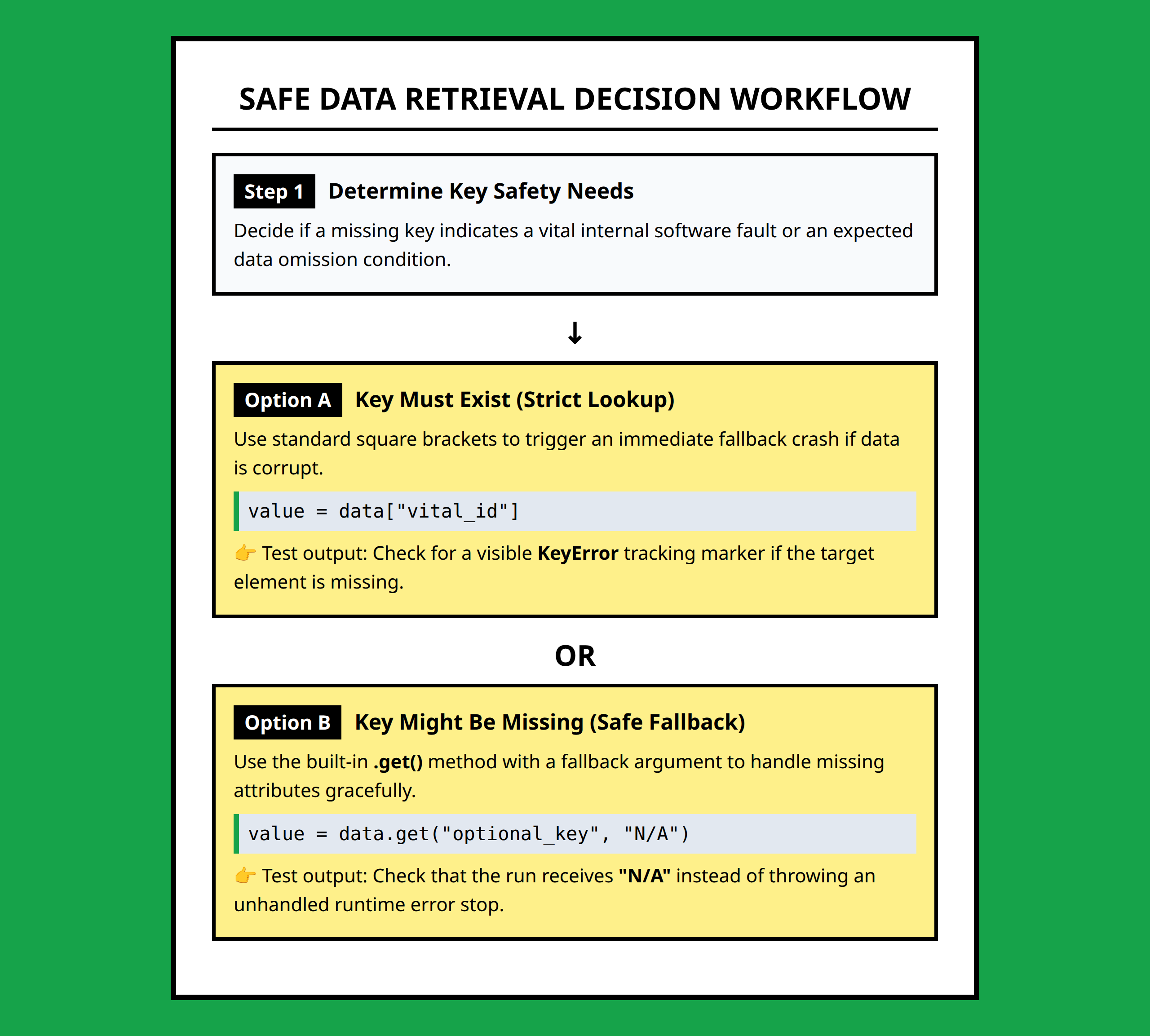
Accessing a missing key directly produces an error:
users["david"]This raises a KeyError.
That behavior is useful because it exposes invalid assumptions early. But in many situations, safer lookup patterns make more sense.
Using get() allows retrieval without crashing the program:
users.get("david")If the key does not exist, Python returns None instead.
I think this is one of the most practical habits beginners can build early. Programs become much more stable once retrieval logic accounts for missing data instead of assuming every key always exists.
This matters especially when handling user input, configuration files, or API responses where missing values are normal rather than exceptional.
Dictionary Iteration Makes Structured Data Easier to Work With
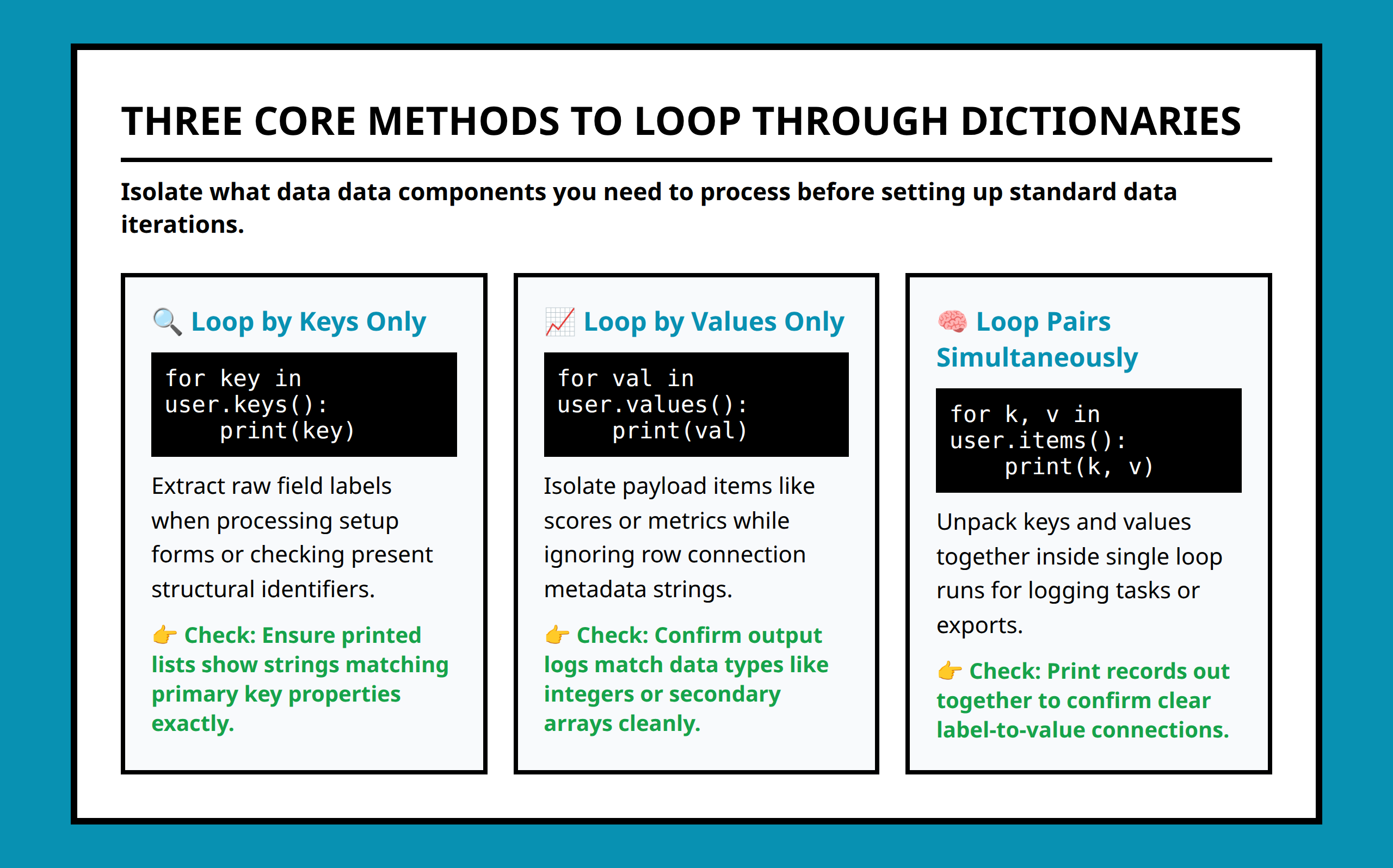
Dictionaries also simplify iteration when working with structured information.
Instead of looping through nested lists and unpacking positions manually, dictionaries allow direct access to keys and values:
for key, value in users.items(): print(key, value) That structure scales much better as programs grow.
I would much rather debug a dictionary-based configuration system than trace positional values scattered across multiple list indexes. The intent remains visible directly in the code.
That visibility becomes increasingly valuable when projects become collaborative or when you revisit your own code several months later.
Dictionaries Work Best When Identity Matters
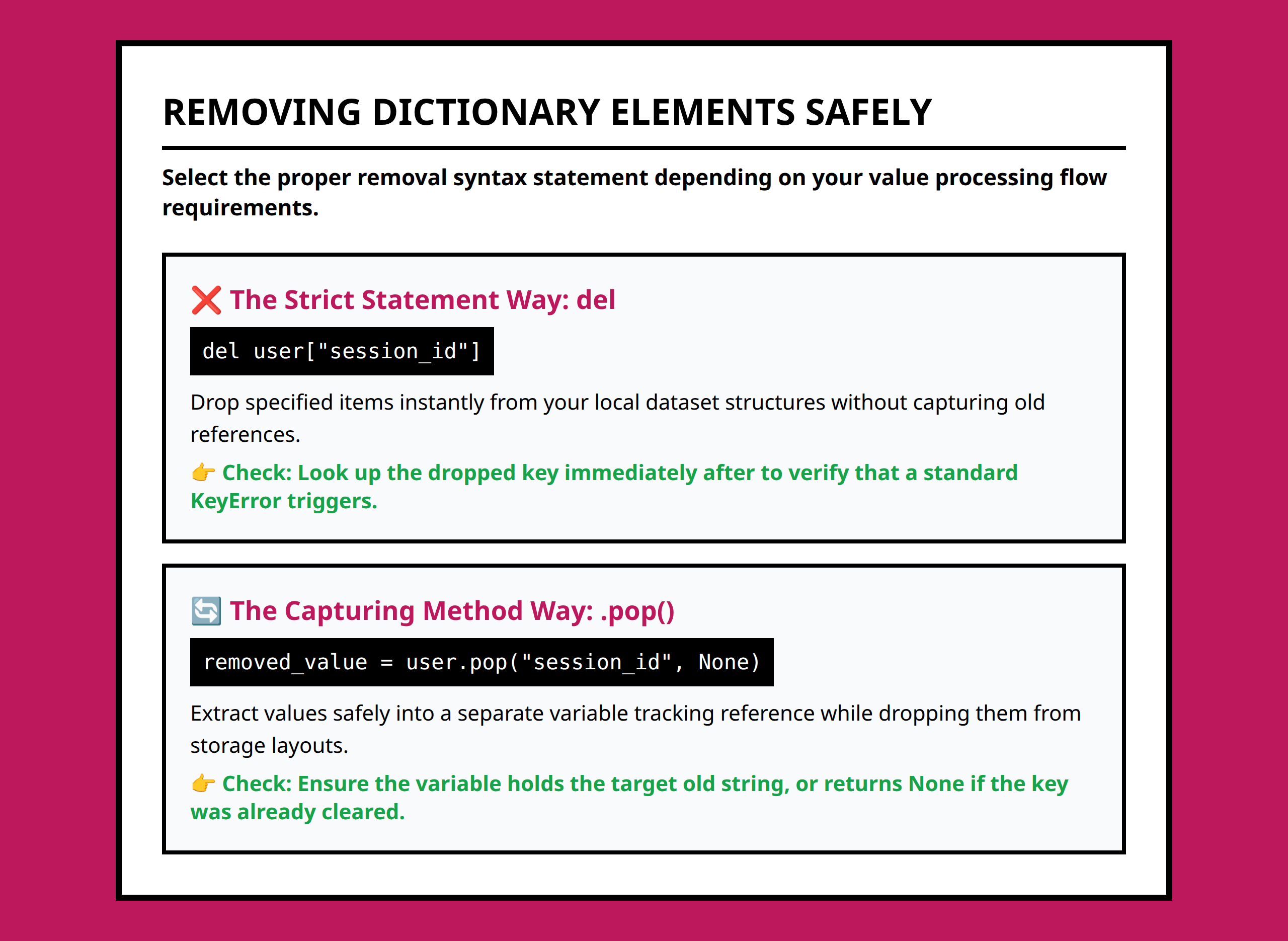
One useful way to decide between lists and dictionaries is to ask a simple question:
Does this data need to be retrieved by identity or by position?
If identity matters — usernames, settings, product IDs, configuration values, counters, categories, mappings — dictionaries usually make the program cleaner and easier to maintain.
If order and sequence matter more than named retrieval, lists may still be the better option.
I think many Python beginners improve rapidly once they stop treating dictionaries as an “advanced feature” and start seeing them as a practical organizational tool. Fast lookups are valuable, but the bigger advantage is often the way dictionaries make the structure of the program easier to think about.
References:
- https://dev.to/aaron_rose_0787cc8b4775a0/python-dictionaries-the-secret-to-lightning-fast-data-lookups-34j1
- https://stackoverflow.com/questions/66207517/which-is-quicker-at-fetching-a-result-given-an-search-in-python-a-list-of-dicts
- https://stackoverflow.com/a/66209611
- https://stackoverflow.com/questions/69838324/why-is-the-dictionary-lookup-not-faster-in-this-case
- https://www.reddit.com/r/learnpython/comments/m5zbst/how_to_use_python_dictionaries_efficiently/
- https://medium.com/the-pythonworld/stop-using-python-dictionaries-the-wrong-way-heres-the-right-way-20d7ccd4b493
- https://www.datacamp.com/tutorial/python-dictionary-methods
- https://www.scaleragency.io/resources/python-dictionary-comprehension
- https://towardsdatascience.com/faster-lookups-in-python-1d7503e9cd38/
- https://python.plainenglish.io/python-dictionaries-sets-unlocking-fast-flexible-data-storage-deepanshi-katiyar-python-easy-4f4fd5eb4c2d
- https://blog.devgenius.io/stop-to-do-dicts-like-you-do-in-python-dfb03bd7d10a
- https://stackoverflow.com/questions/19103785/efficient-dictionary-searching
- https://stackoverflow.com/a/19103878
- https://stackoverflow.com/questions/6605279/how-do-python-dictionary-hash-lookups-work
- https://realpython.com/python-dicts/
- https://stackoverflow.com/a/69838412
- https://www.reddit.com/r/learnpython/comments/m5zbst/how_to_use_python_dictionaries_efficiently/gr31ot9/
- https://www.reddit.com/r/learnpython/comments/m5zbst/how_to_use_python_dictionaries_efficiently/gr31la6/
- https://www.reddit.com/r/learnpython/comments/m5zbst/how_to_use_python_dictionaries_efficiently/gr35c4k/