Local DeepSeek deployment becomes much more practical once you understand quantization, model size tradeoffs, and why tools like Ollama simplify the entire workflow. The real challenge is not installation. It is avoiding unnecessary hardware strain while still getting useful coding performance.
A lot of people approach local LLM deployment the wrong way. They start by downloading the biggest model they can find, then spend hours wondering why their laptop sounds like a jet engine or why responses take forever.
What changed my thinking was realizing that local deployment is mostly a resource management problem. Once you understand how model size, quantization, and lightweight deployment tools work together, the process becomes much less intimidating. You stop chasing “maximum model size” and start thinking about usable performance.
That shift matters even more with coding-focused models like DeepSeek. If your real goal is experimenting with Python generation, debugging snippets, or testing prompts locally, you often do not need the heaviest possible setup.
The Real Problem With Local LLM Deployment
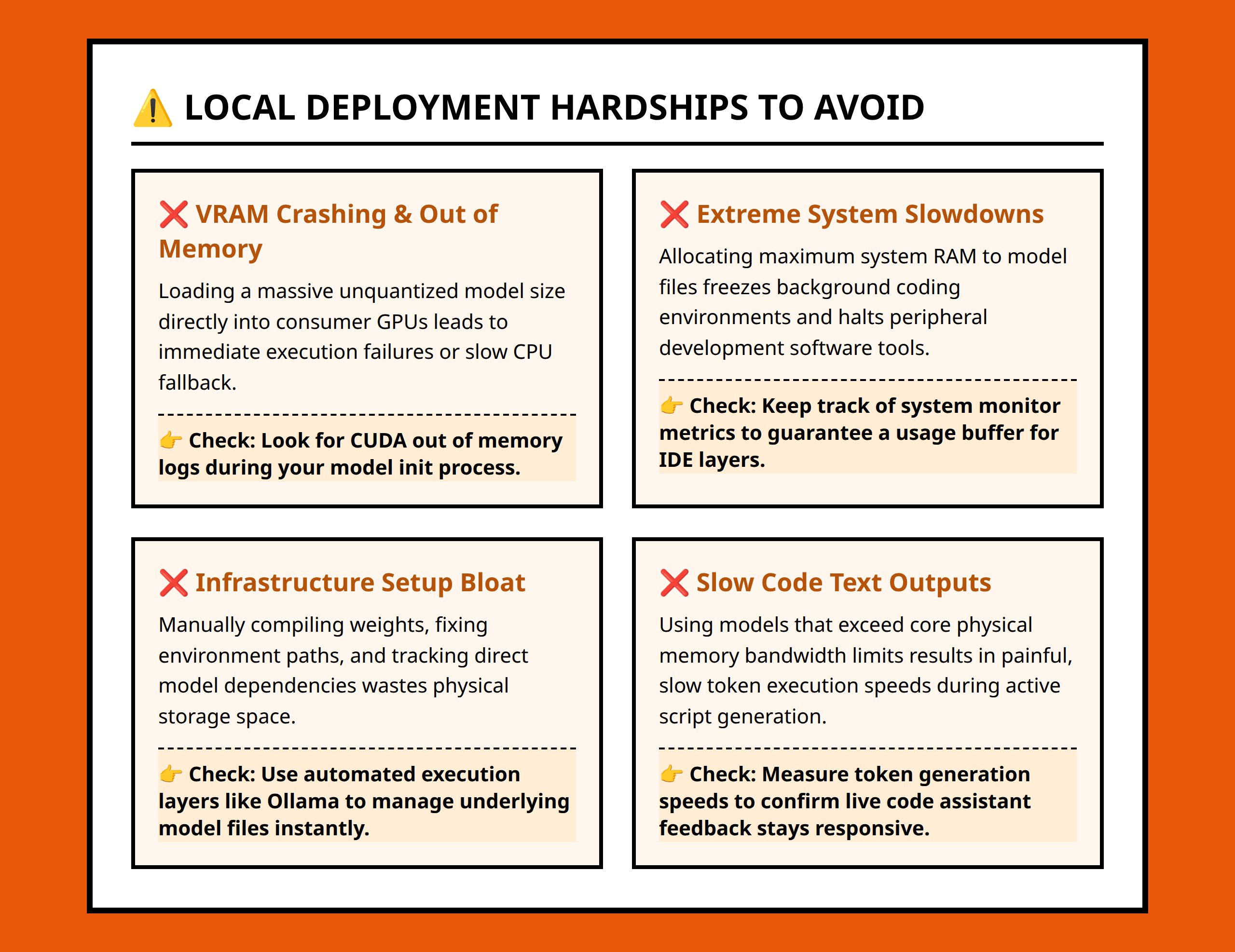
Most deployment frustration comes from a mismatch between expectations and hardware limits.
Large language models are resource-intensive by design. Bigger models require more memory, more storage, and more compute power during inference. A developer with a mid-range laptop may try running a large unoptimized model and immediately hit slow response times, overheating, memory exhaustion, or outright crashes.
I think many people assume the installation process is the difficult part. In practice, installation is usually the easy part. The harder issue is keeping the model usable after deployment.
That is where lightweight deployment workflows become important. A local model is only valuable if you can actually interact with it comfortably during normal work.
For example, imagine a Python developer who wants a local assistant for debugging scripts and generating boilerplate functions during evening coding sessions. They do not necessarily need the absolute highest benchmark performance. They need stable responses, reasonable latency, and hardware that still functions normally while the model runs.
That practical distinction changes how you should think about deployment from the beginning.
Why DeepSeek Fits Local Coding Workflows Well
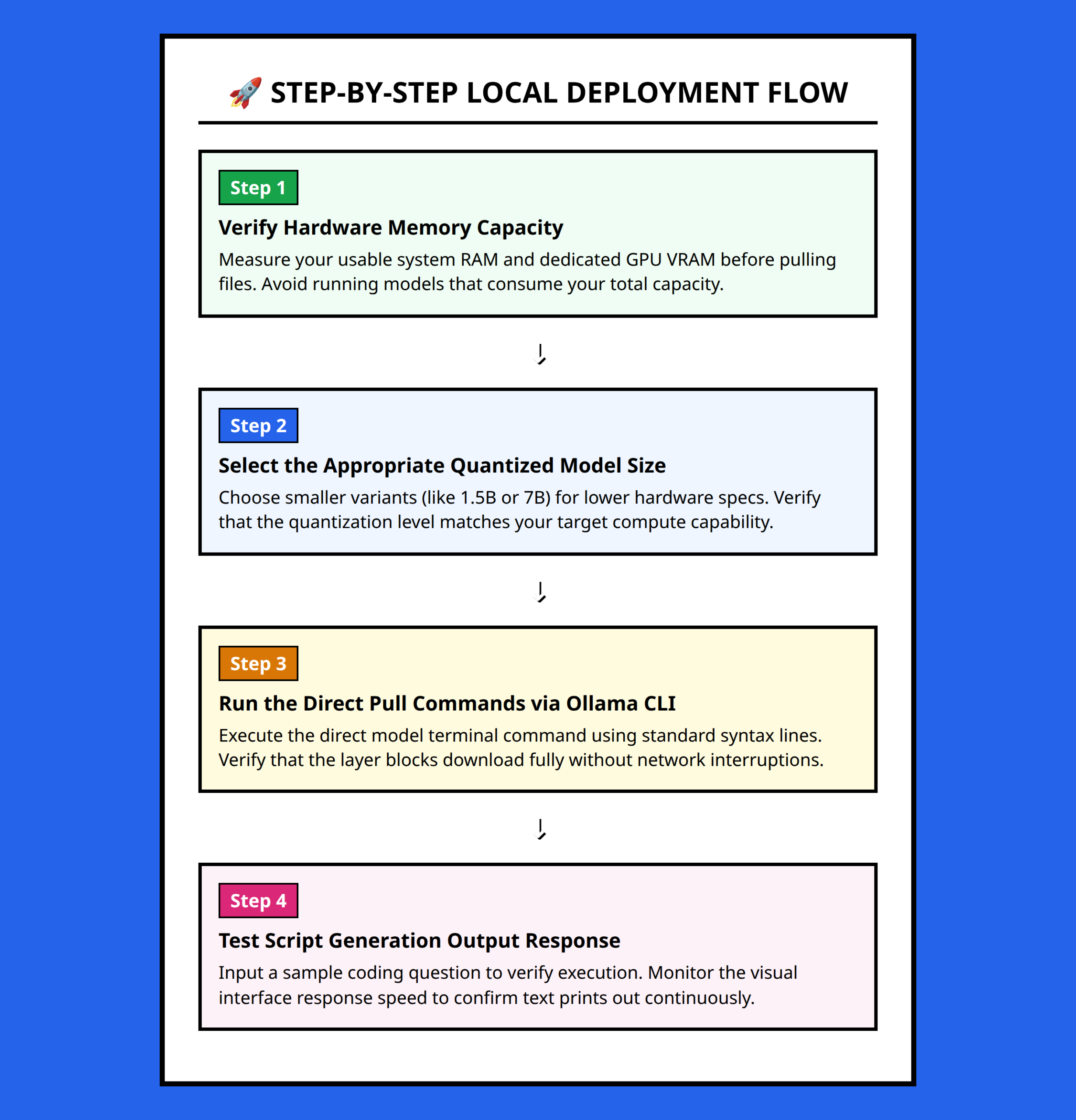
DeepSeek is positioned heavily around code-centric performance and efficient reasoning. That matters because coding workflows behave differently from general chatbot usage.
When someone uses an LLM mainly for Python assistance, several patterns appear repeatedly:
- short prompt-response cycles
- iterative debugging
- code explanation requests
- small refactoring tasks
- algorithm generation
- syntax correction
Those tasks benefit from fast local interaction more than massive conversational depth.
I would rather have a slightly smaller model that responds consistently in a few seconds than a giant model that stalls every time I ask for help with a list comprehension or regex pattern.
That is part of why efficient deployment matters so much with DeepSeek. The architecture and optimization goals are designed to make coding assistance practical, not just theoretically powerful.
The important point is not that DeepSeek magically removes hardware constraints. It does not. The important point is that its efficiency-oriented positioning makes local experimentation more realistic than many people expect.
Quantization Is the Decision That Changes Everything
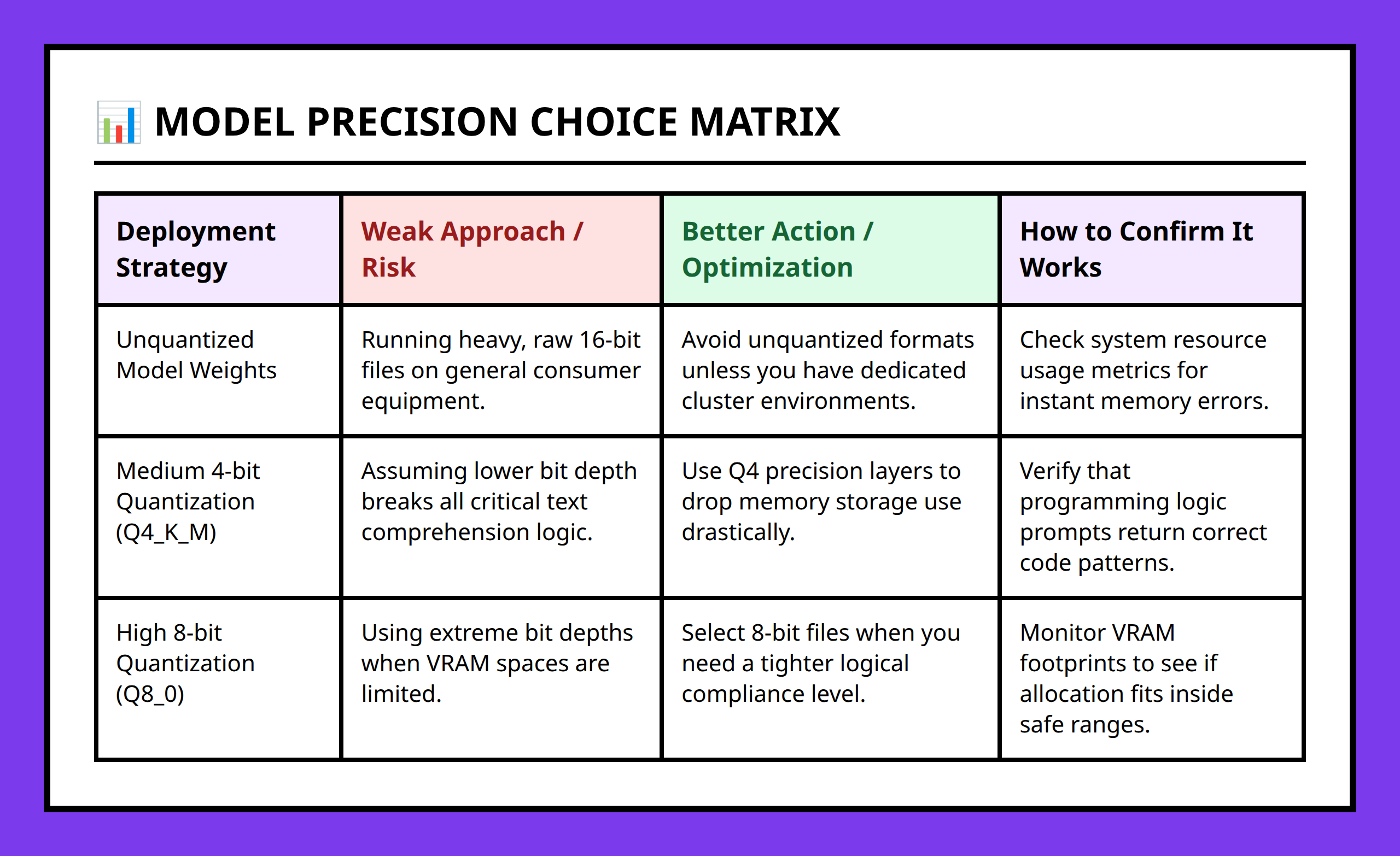
The turning point in local deployment usually comes when you understand quantization.
Quantization reduces the precision used to store and process model weights. In practical terms, this lowers memory usage and reduces computational demand.
That sounds technical, but the real-world implication is simple:
You can run models that would otherwise be impractical on consumer hardware.
Without quantization, many local deployments become unrealistic for normal laptops and desktops. With quantization, the same system may suddenly become usable.
I think this is the part many beginners underestimate. They focus entirely on model size while ignoring how aggressively optimization affects usability.
Here is the tradeoff that matters:
- Higher precision usually preserves more accuracy.
- Lower precision reduces hardware requirements.
- The goal is finding the point where quality remains useful while resource costs become manageable.
For coding workflows, that balance is often surprisingly forgiving.
If a quantized DeepSeek model still generates clean Python functions, explains dictionaries correctly, and helps debug logic errors, the deployment is already doing its job.
You do not need perfection for most practical local usage.
Why Ollama Makes Local Deployment Easier
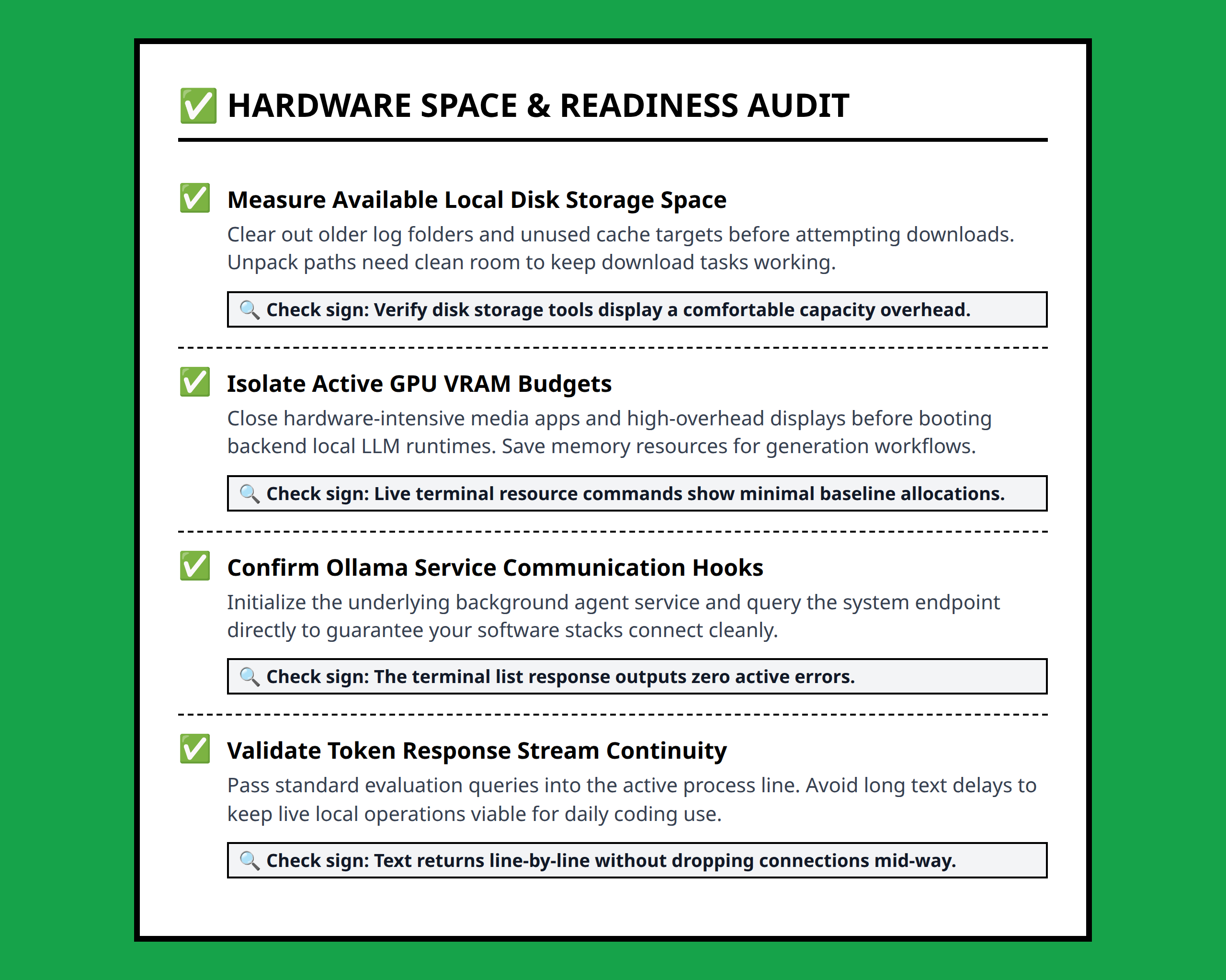
Ollama matters because it removes a large amount of deployment friction.
One of the biggest problems with local AI experimentation is infrastructure complexity. Even technically skilled users can waste time dealing with environment setup, dependency conflicts, runtime configuration, or GPU compatibility issues.
Ollama simplifies much of that process into a lightweight workflow.
Instead of treating local deployment like a research infrastructure project, it turns model management into something much closer to standard developer tooling.
That simplicity has a practical effect on experimentation.
A Python developer testing local code generation can pull a model, run prompts, adjust workflows, and iterate quickly without rebuilding an entire ML environment first.
I think this is one reason lightweight tooling matters more than people admit. Many local AI projects fail not because the models are bad, but because the setup process becomes exhausting before useful work even begins.
When the workflow becomes easier, experimentation increases. And experimentation is where local AI actually becomes valuable.
Choosing a Model Size That Matches Your Real Usage
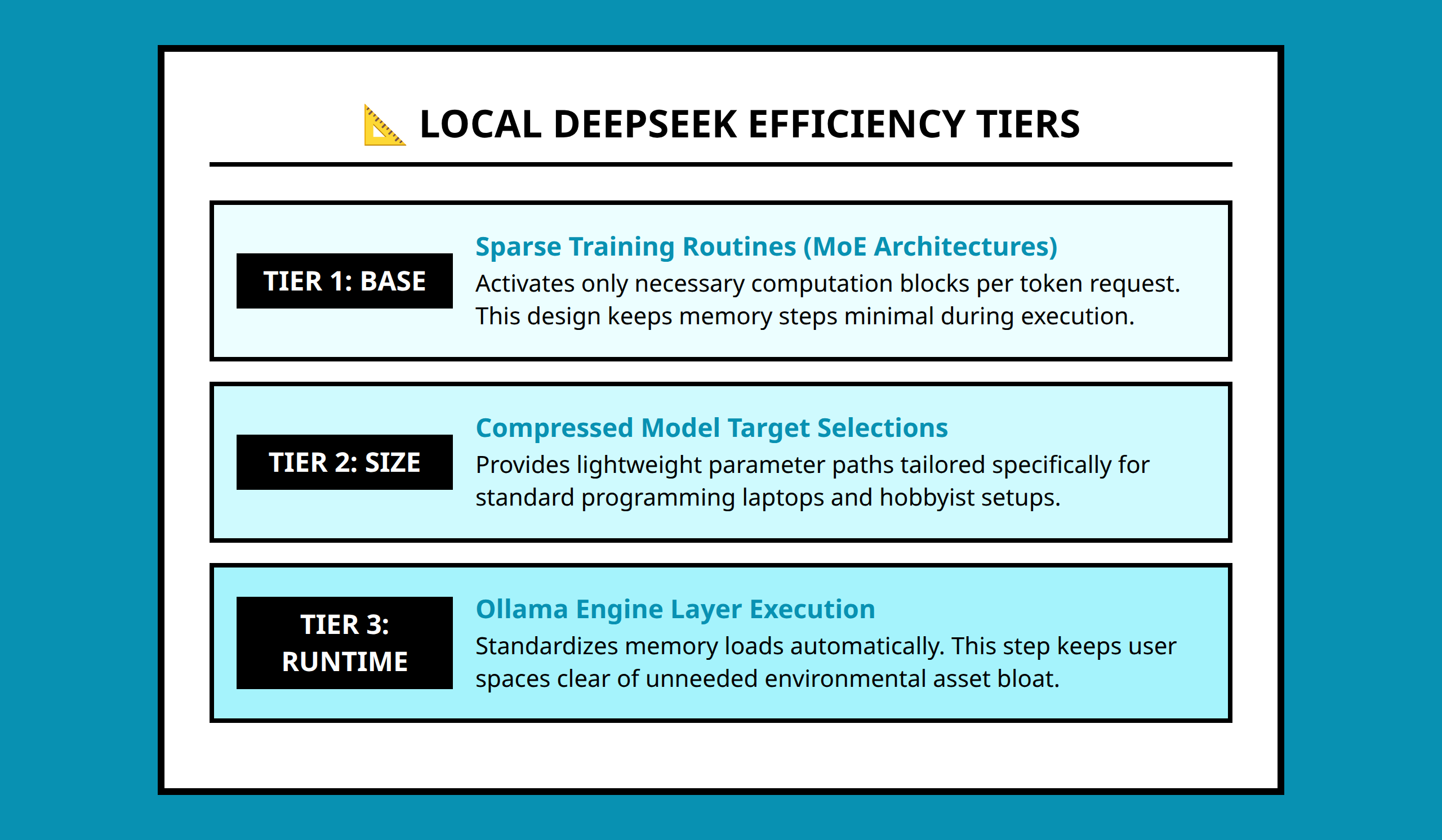
One mistake I would avoid immediately is choosing a model based purely on online hype.
People often download the largest available version because they assume “bigger automatically means better.” But deployment quality depends on fit, not size alone.
A reasonable local setup depends on:
- available RAM
- storage limits
- GPU capability
- response speed expectations
- the type of coding tasks you actually perform
If your workflow mostly involves Python snippets, debugging, and lightweight experimentation, an aggressively optimized model may provide a much better experience than a heavyweight configuration that barely runs.
I would also pay attention to thermal behavior and system responsiveness.
There is a practical difference between “technically runs” and “comfortably usable.”
A laptop that freezes every few prompts is not really a productive development environment.
Sometimes the smartest deployment decision is intentionally choosing a smaller quantized model because it allows faster iteration and longer working sessions.
Local Deployment Works Best When You Treat It Like a Workflow, Not a Flex
I think local AI discussions sometimes drift into hardware bragging instead of workflow design.
But most developers do not actually need a massive infrastructure stack just to experiment with coding assistance.
The more useful question is:
What level of model performance is enough to improve my real work without overwhelming my machine?
That question leads to much better decisions.
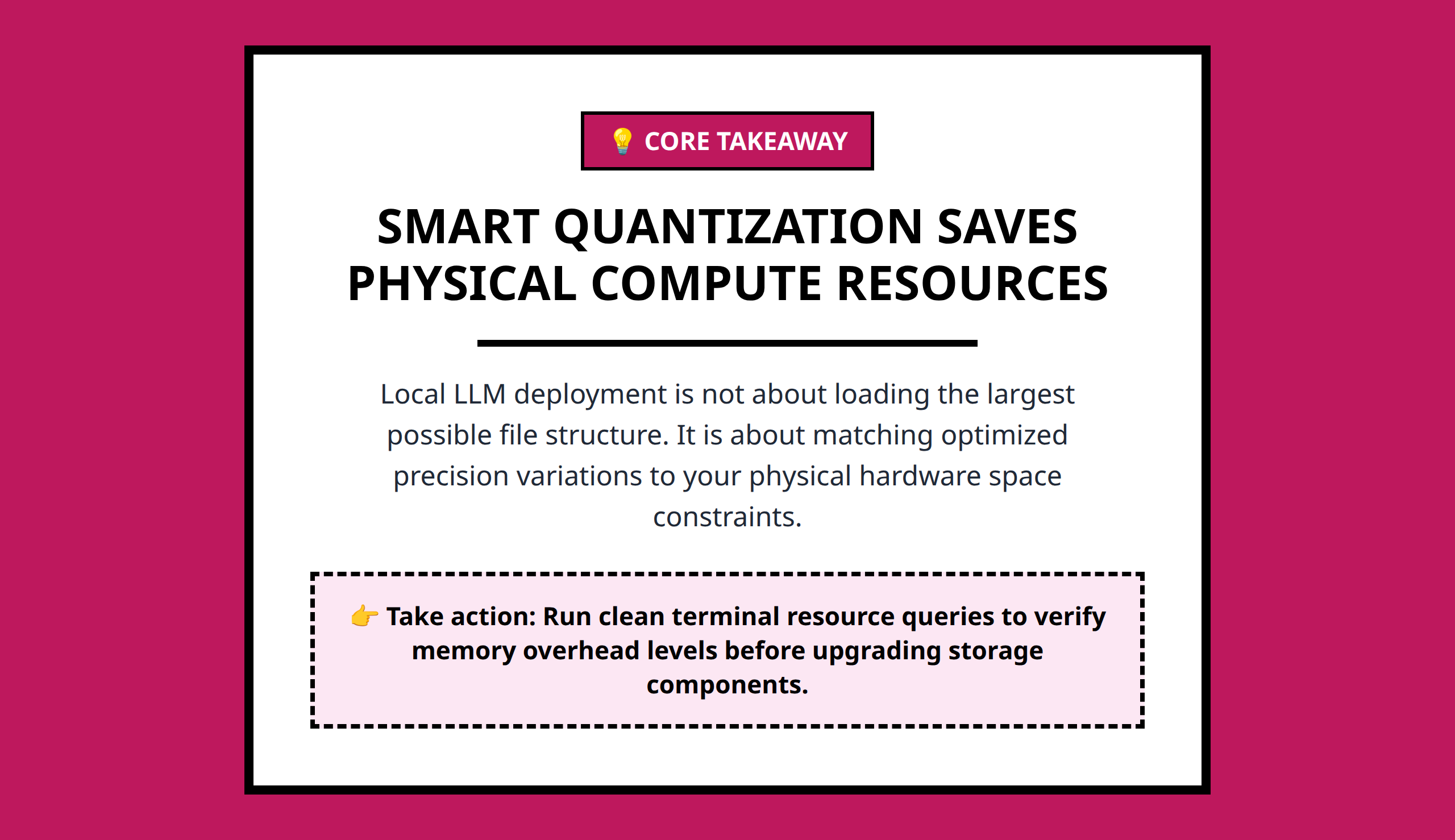
Once you understand quantization, resource tradeoffs, and lightweight deployment tools like Ollama, local DeepSeek deployment stops feeling like a hardware arms race.
It becomes a practical engineering choice.
And honestly, that is probably the healthiest way to approach local AI right now. A model that runs reliably every day is usually more valuable than a giant model that only works in ideal conditions.
References:
- https://www.youtube.com/watch?v=i8HsZjfszE8
- https://www.youtube.com/watch?v=QJXgUE4WCqM
- https://www.youtube.com/watch?v=d4DUqjM4Bdo
- https://www.reddit.com/r/LinusTechTips/comments/1ig8b01/running_deepseek_locally_is_it_really_this_easy/
- https://www.reddit.com/r/LinusTechTips/comments/1ig8b01/running_deepseek_locally_is_it_really_this_easy/mamkeo7/
- https://www.reddit.com/r/LinusTechTips/comments/1ig8b01/running_deepseek_locally_is_it_really_this_easy/mamr8k3/
- https://forum.makerforums.info/t/how-to-run-deepseek-and-other-ais-locally/92553
- https://www.datacamp.com/tutorial/deepseek-r1-ollama
- https://unsloth.ai/docs/models/tutorials/deepseek-v3.1-how-to-run-locally
- https://community.deeplearning.ai/t/deploy-deepseek-locally/786535
- https://jayriniv.medium.com/how-i-got-deepseek-running-locally-and-how-you-can-too-81adbe2e12aa
- https://www.reddit.com/r/selfhosted/comments/1i6ggyh/got_deepseek_r1_running_locally_full_setup_guide/
- https://www.reddit.com/r/selfhosted/comments/1iekz8o/beginner_guide_run_deepseekr1_671b_on_your_own/
- https://dev.to/ajmal_hasan/setting-up-ollama-running-deepseek-r1-locally-for-a-powerful-rag-system-4pd4
- https://localaimaster.com/blog/deepseek-local-setup-guide
- https://www.kdnuggets.com/run-the-full-deepseek-r1-0528-model-locally
- https://www.reddit.com/r/LinusTechTips/comments/1ig8b01/running_deepseek_locally_is_it_really_this_easy/mao2xmy/
- https://unsloth.ai/blog/deepseek-v3-0324
- https://dev.to/russoboy/the-only-way-to-run-deepseek-locally-a-safe-approach-3e2l